As an indie designer-developer, I used to start every morning pretty much the same way. Like everyone else. I'd pour a coffee, sit down at my desk, go through the ritual of checking charts, email and messengers, and then open my IDE and task tracker. I'd pick the most interesting tasks and set an agent to work.
The sun is shining, birds are singing, rainbows are pouring from the sky and unicorns are frolicking on the lawn outside my window. Something like that, anyway.
Problem 1. Too many chats to keep track of
At first, while I was working on Leaflo and Plainline (a couple of my products), that's exactly how it went. I'd open VSCode, start a task, and watch, mesmerized, as Claude's or Codex's spinners spun and the chat spat out chunks of code and lines of text.

But after a while the magic started to fade. I realized that instead of endlessly staring at a running chat, I could be doing other things. And being a chronic overachiever, I didn't use that time to rest. I used it to prepare the next tasks for the LLM.
After the first task, I'd start writing a second, then a third, because waiting for one to finish could take a long time. Half an hour, an hour, two. Eventually I had so many tasks that a queue formed.
Let me be clear: the speed of LLMs doesn't bother me (almost). Even the slowest one writes code faster and better than I do. What bothered me was something else. I could have run 2–3 chats in parallel, but there was no convenient tool to monitor tasks and switch between them. No notifications when work was done or when the chat had a question, either.
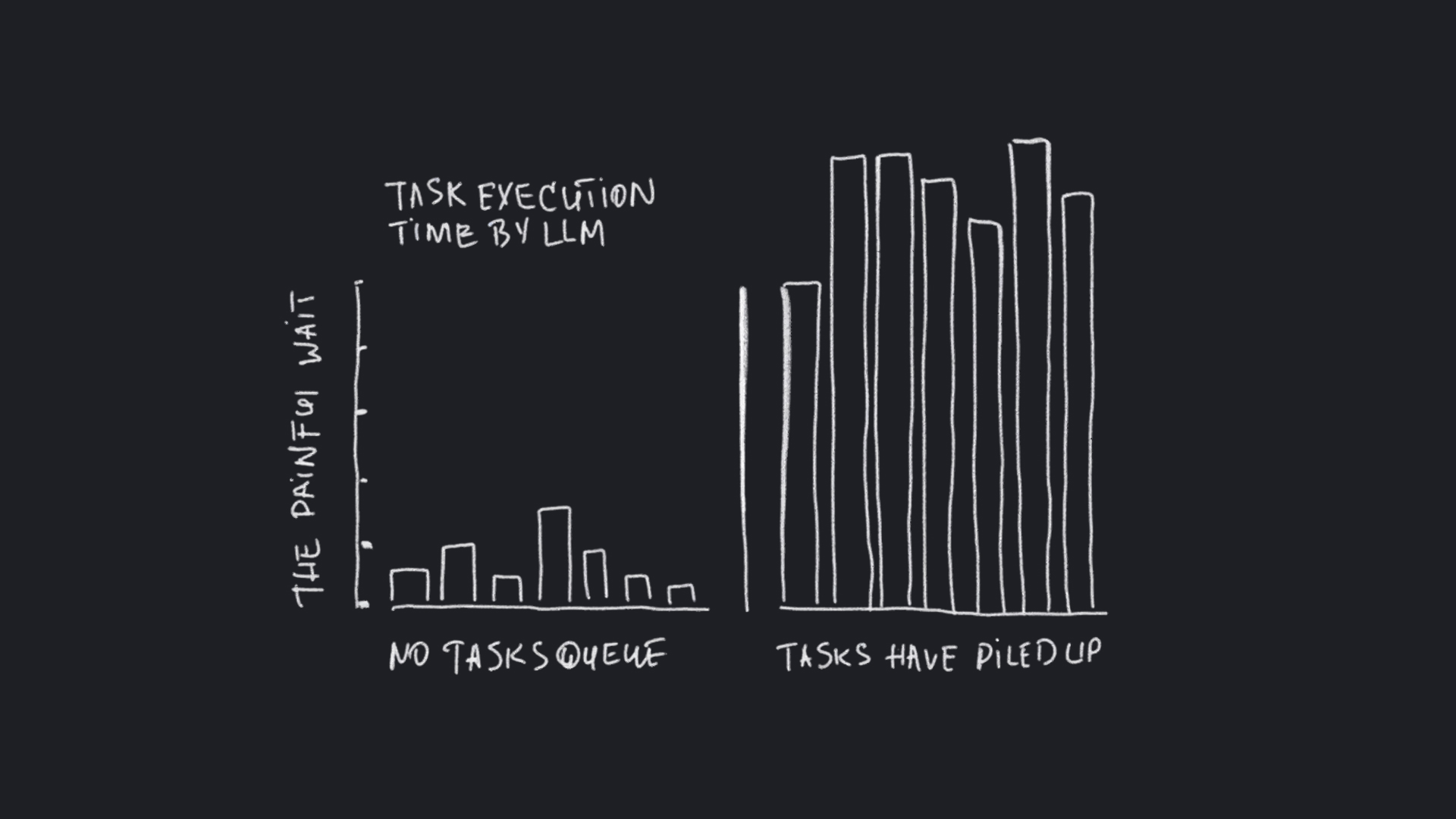
On top of my main project, side tasks kept popping up: tweaks to skills, other pet projects, research. By evening I'd have 3–4 VSCode windows open, 2–5 chats in each, and a mini ADHD attack from jumping between them.
Problem 2. No way to run chats in the right order
When I had 3–5 tasks ready to go one after another, I had to track the queue by hand: what finishes when, and what to start next. This matters, because some tasks assume the previous one's functionality is already in place.
I had to keep all of it in my head. Turns out my head isn't really built for that. So I tried a different strategy: ignore the queue and launch everything at once.
Problem 3. Parallel work is hard
First I tried branches. You can probably guess what happened next. The agents pulled branches out from under each other, put code in the wrong places, and it all turned into chaos very quickly.
It was even worse than working in a single repository. There, at least, the agents could get work done. They just kept losing their rhythm: they had to watch for other agents' edits and then commit their own changes without touching anyone else's. That's how I first learned what committing hunks means.
Problem 4. Working at night
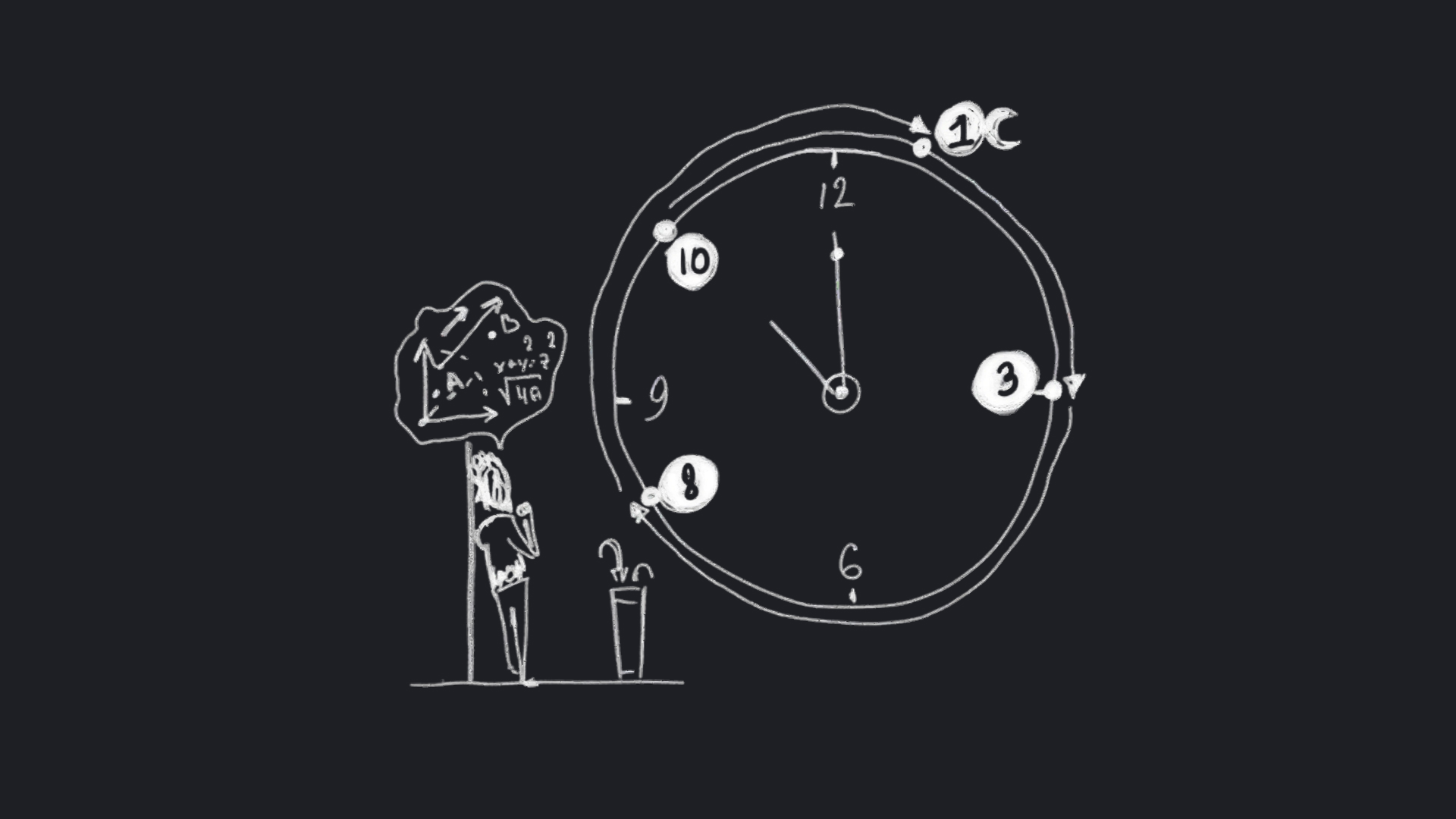
Five-hour limits are a story of their own. Yes, Claude, I'm looking right at you.
I start work around 10 a.m. That means limits reset at 3 p.m., then 8 p.m., and then at 2 a.m.! Of course I don't stay up until 2 a.m. And that's a shame, because Claude could be working through the night. After all, nobody's protecting models' working hours.
Enter Buzzpot
At some point I realized I needed a tool that would solve these problems. So, out of curiosity and a love of optimization, a project codenamed Topic was born. It's now called Buzzpot.
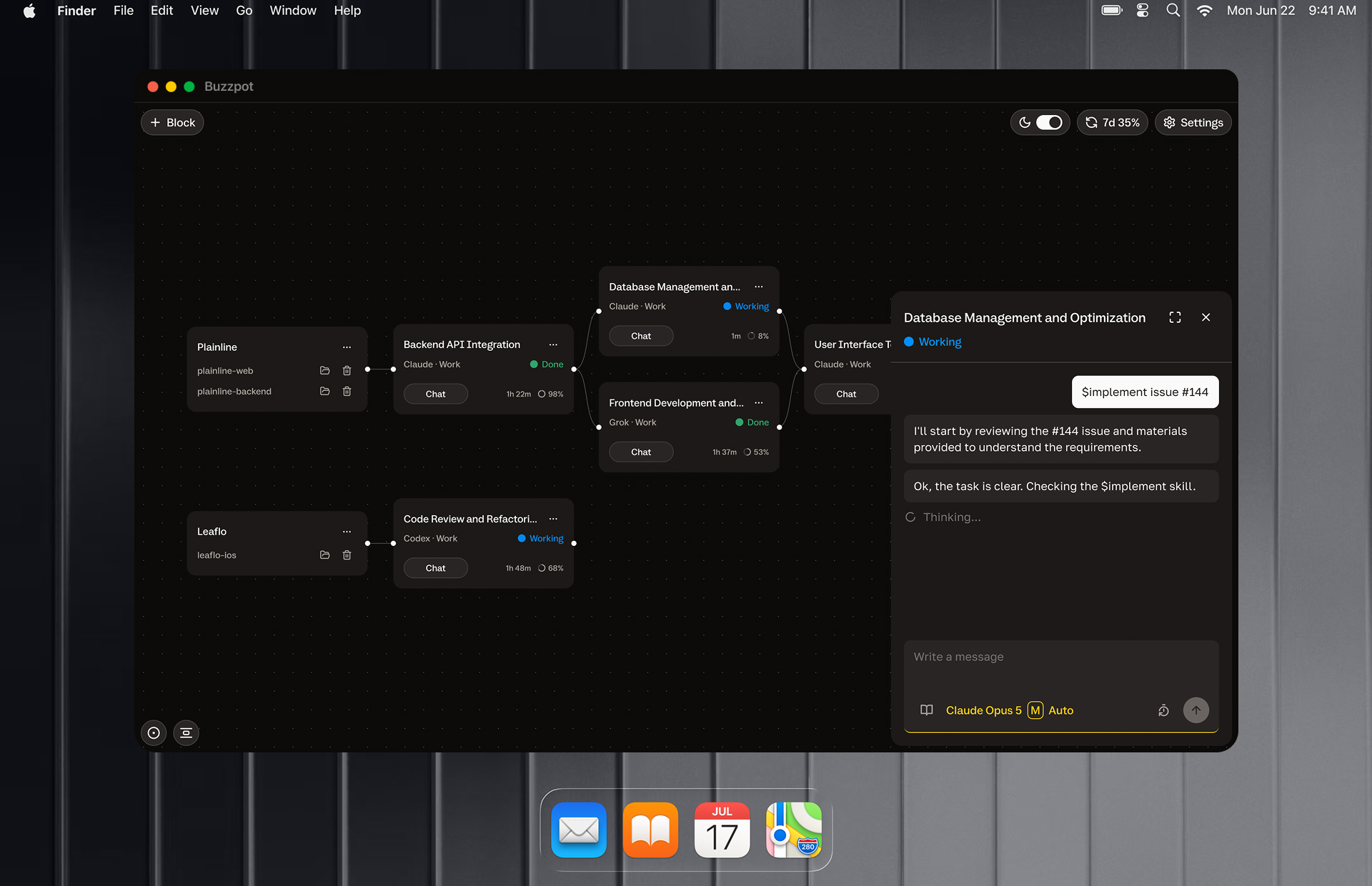
In short, it's a canvas with agents. You create a project card and add the folders you need. Then you add task cards and arrange them into the chain you want. Tasks run automatically from Start to Done, and then the next one kicks off.
You control the sequence, and which providers and models each task uses. For example, Claude Fable writes the plan and GLM or Grok does the implementation. That makes sense now that subscription limits from the big providers shrink by the day and there are good, affordable executors out there.
You can also run tasks in parallel. In auto-integration mode, each card creates its own separate tree where the agent works safely on its own, then merges the results back into the main track.
You don't have to lay tasks out on the canvas by hand. We're not cavemen. I almost never do it myself. Buzzpot has an MCP you can enable in any card, and the agent will lay out the tasks for you.
Since then, Claude and the other providers can burn through their compute and drain my wallet practically around the clock. And once tasks start automatically after a limit reset (I haven't gotten around to it yet), it'll be even more efficient.
The product itself is a local desktop app, Mac-only for now. Alongside it, I'm working on a mobile web version of the canvas. You know the feeling: you give the LLM a task, head out for lunch or to the store, come back, and the agent has been waiting two hours for an answer to a question. Meh. At first, the mobile web version will cover the basics: replying to an agent, starting something, reacting somehow. Later I plan to add much broader remote control of the canvas.
The product won't be free. Even though every other person is vibe-coding apps these days, it's not as simple as it looks at first glance, and there's a lot of machinery under the hood.
What my day looks like now
My mornings still start with coffee. I keep all my tasks in GitHub Issues. I have prompts that, with a single command, lay out the tasks that are ready for development, or ready for research and spec writing, on the canvas. Then I start the first one, and everything else comes down to answering questions and checking statuses. I just glance at the canvas every 30–60 minutes and get back to other work.

I've been using Buzzpot myself for several weeks now and have no desire to switch back. That's probably a good sign.
Do you need this?
I asked myself the same question while building the landing page. If you do one task after another and you're happy with how things are, Buzzpot probably won't help you much. On one or two tasks, it works just as well as regular terminals.
But it might come in handy if:
- you have many projects or juggle a varying number of tasks;
- you want to run things in parallel and have intense LLM work sessions;
- you use several providers and want an easy way to manage them across tasks;
- you want to monitor and respond remotely.
Why a canvas
I'm a designer, and I've worked with canvases my whole life: Sketch, Figma, Miro, ComfyUI. So when the question came up of how to keep an eye on projects, agents and the connections between them, I immediately voted for a canvas. My vote won, since it was the only one.
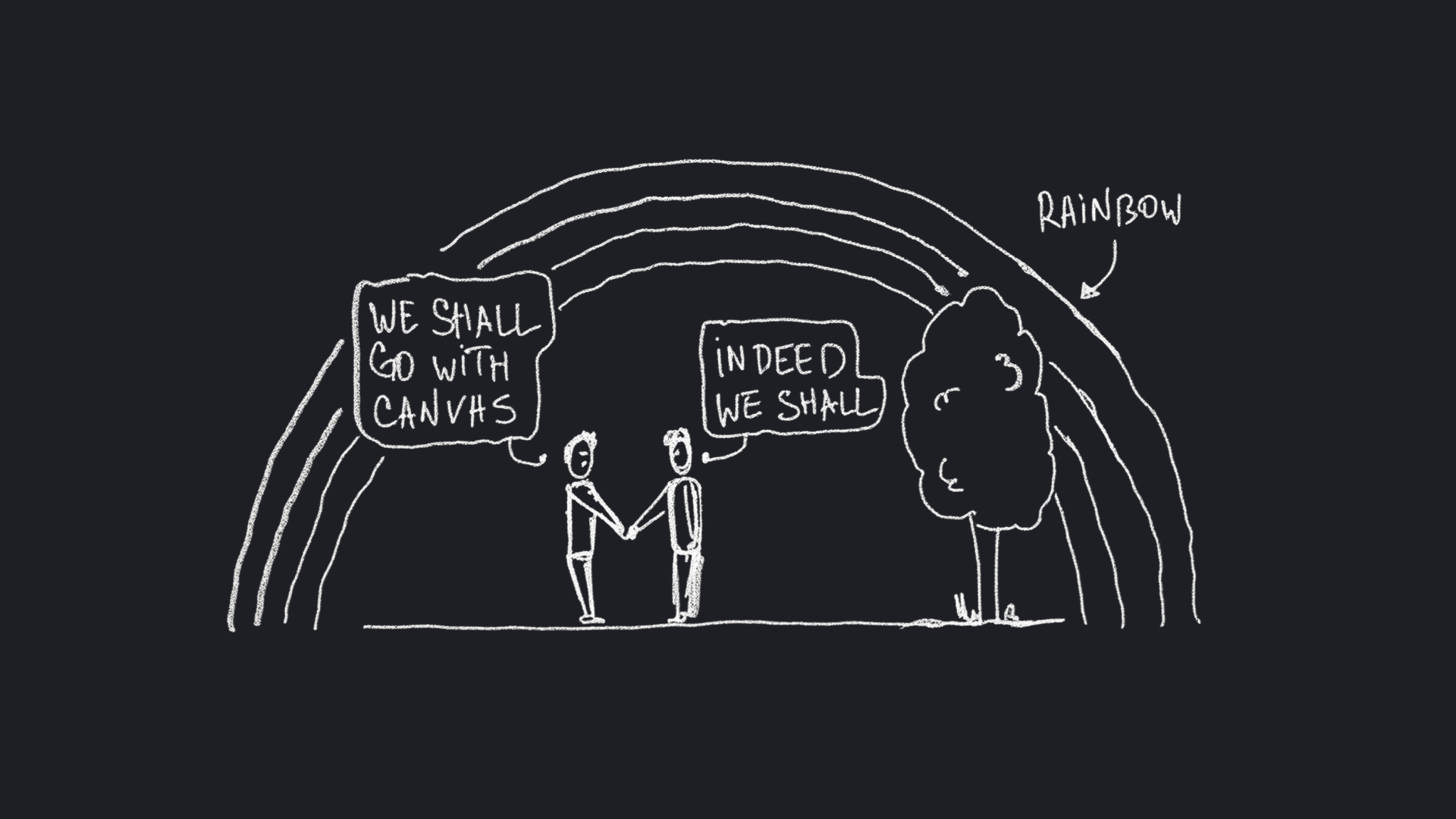
Seriously though, I did consider lists and a kanban board. I've always loved kanban. I was one of the early adopters of the original, cozy Trello. But neither kanban nor lists let you quickly see how tasks are connected, where they branch off in parallel, where they merge, and in what order they'll run. That said, a kanban view for cards still appeals to me.
How it was built
I vibe-coded the first version in two or three days, and for a prototype it worked surprisingly well. From that, I drew the foolish conclusion that I could build a solid product in a month. Oh, how wrong I was.
In almost three months, I've gone through a couple of concepts and a major refactor, because I took the wrong architectural path. Originally, when the first card started, I locked the entire task graph. It seemed logical, but the system turned out to be fragile: any failure in any card blocked the whole flow. The codebase ballooned, and early on I'd neglected architectural oversight. In short, don't do this.
In the end, I changed the approach completely. Now only one card gets locked: when it starts, it creates its own worktree, and when it's done, it merges the result into the shared branch and cleans up after itself. This let me delete many thousands of lines of code and tests, and the logic boiled down to a manageable, easy-to-observe single-card cycle.
What's next
Right now the product is about 90% done. All that's left is the other 90%. But I decided not to wait and have already launched the landing page: buzzpot.app. Drop by and subscribe.
By the way, this time I decided not to hide that I'm building the product alone. Everyone tries to hide it and writes "we" instead of "I" on their product sites. I get it, it's a vulnerable position when it comes to trust. But first, I don't want to pretend, and second, I think we'll see more and more products made by one "I" rather than a "we". Simply because it's easier now.
P.S. For those following me (hi, Oleg and Tanya, my loyal subscribers): Plainline hasn't gone anywhere. It's alive and well, waiting for me to finally ship Buzzpot. And yes, I promise that next time I won't show up with yet another new product instead of progress on the current one. Probably :)
Cheers!